@ThanhThePilot You don't have it active.
Go to mods menu in first page. There you can find overload menu mod. Tap on it and activate. Then in designer you will find a button (it has a plane logo on it). Tap on it. Change page from first one to variables. There you can find font size. Edit size and save it by clicking on ticked button.
First save your aircraft in this state (because I'm not sure it will work or not)
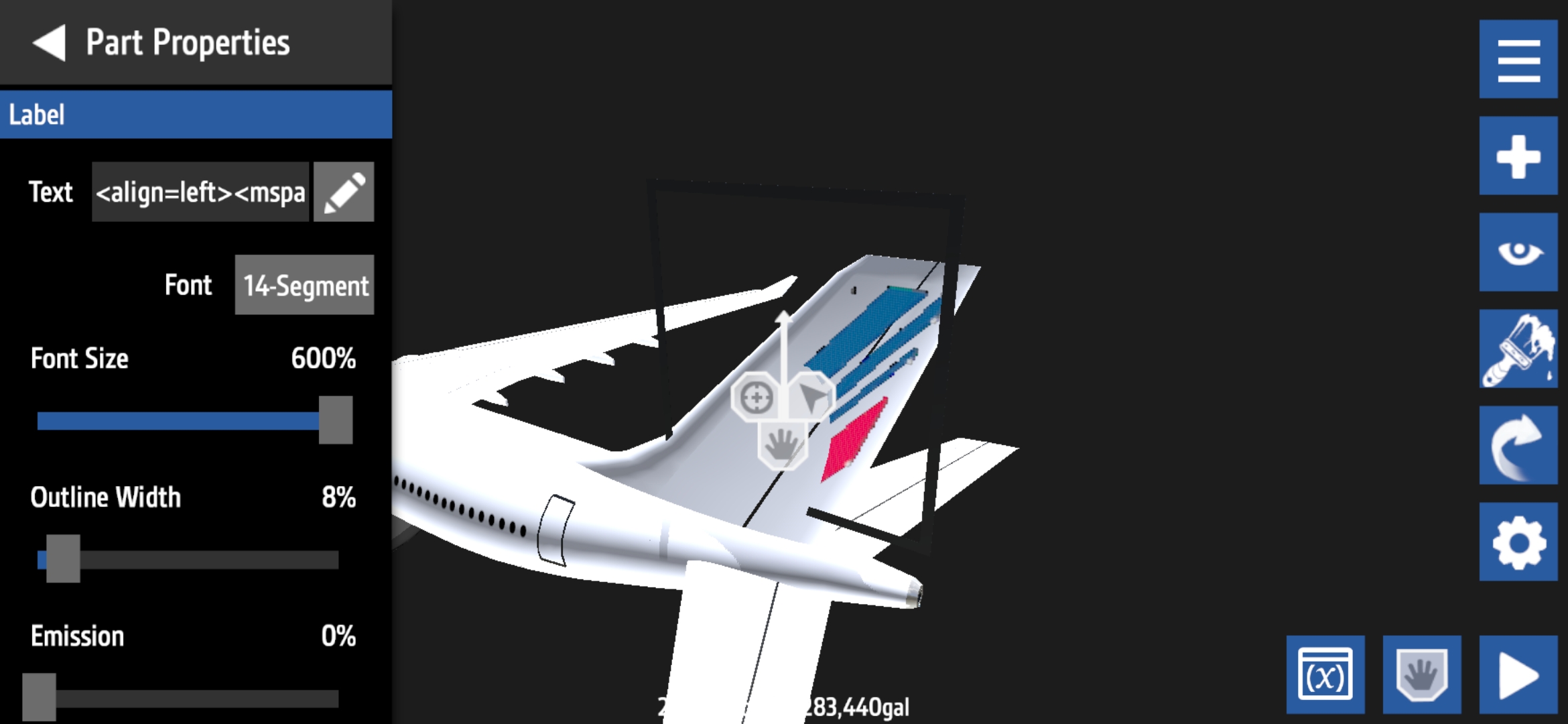
Then go to overload menu for the text you choose. Increase font size (I don't remember the name).
For example:
Now you have this
%600=6(in overload menu)
Change it to:
%1000=10


@Kav ahh thanks
@ThanhThePilot If you need help or you didn't understood just ask. I'll try my best to help.
@ThanhThePilot You don't have it active.
Go to mods menu in first page. There you can find overload menu mod. Tap on it and activate. Then in designer you will find a button (it has a plane logo on it). Tap on it. Change page from first one to variables. There you can find font size. Edit size and save it by clicking on ticked button.
@Kav im still not sure wheres the overload menu is since i quit this game years ago🙏
Or you could <size=%>text
@SILVERPANZER Thank you my friend!
It's useful. :D
@Kav You can also set <size=X%> in the text of the label (you can do this without %).
First save your aircraft in this state (because I'm not sure it will work or not)
Then go to overload menu for the text you choose. Increase font size (I don't remember the name).
For example:
Now you have this
%600=6(in overload menu)
Change it to:
%1000=10